
Writing a post used to end the same way every time. The draft would be ready, and then came the boring part: paste it into the admin, fix the formatting the paste mangled, upload a cover image, write the meta title, write the meta description, check the character counts, save. Twenty minutes of clerical work after the writing was already done.
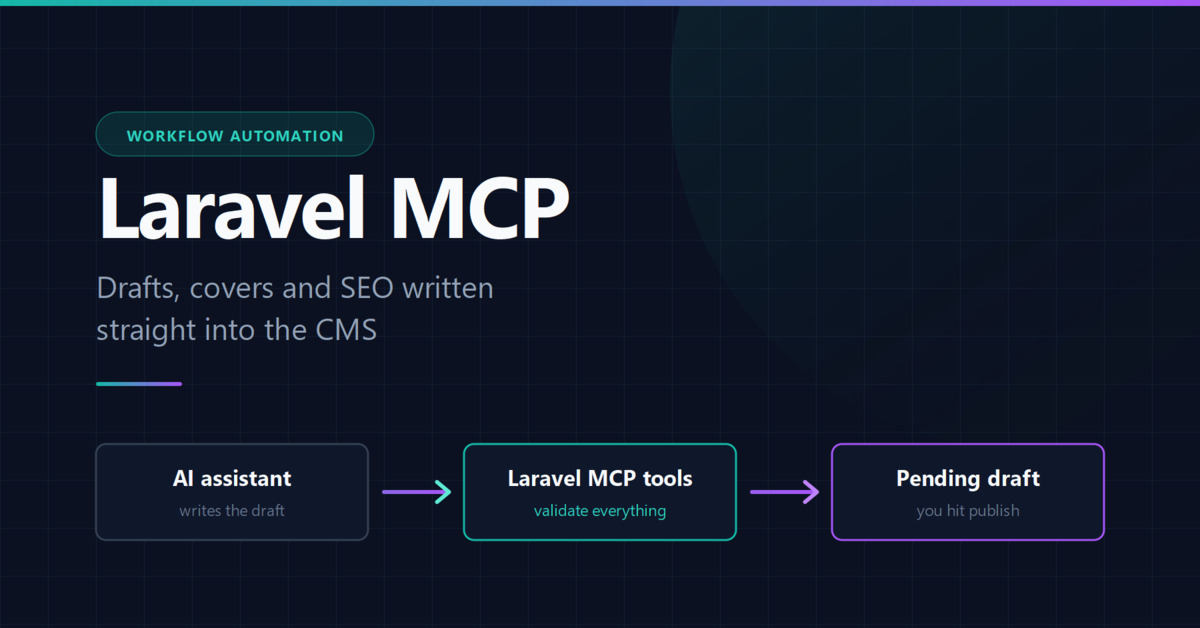
So I removed that step. This blog now has a Model Context Protocol server, and an AI assistant writes drafts straight into it. This post is about how it is built, and more importantly, what it deliberately cannot do.
What MCP actually is
The Model Context Protocol is a standard way to expose functions to an AI client. You define tools with a name, a description and an input schema; the client discovers them and calls them with structured arguments. It is closer to a typed RPC layer than a chat integration.
Laravel has a first-party package for this, laravel/mcp. If you have used Laravel Boost, you have already used an MCP server — Boost exposes your application's routes, schema and docs to an assistant the same way.
The design constraint that shaped everything
Before writing a line, I decided one thing: the AI must never be able to publish.
Not "should not". Cannot. A prompt cannot talk it into publishing, and a confused model cannot do it by accident, because the capability does not exist in the tools. Every post is created as a pending draft, and no tool on the server accepts or exposes a status field.
$post = Post::create([
    'title' => $validated['title'],
    'slug' => $validated['slug'] ?? Str::slug($validated['title']),
    'body' => $validated['body'],
    'status' => PostStatus::PENDING,
    'user_id' => $request->user()->id,
]);
That single hardcoded enum is the whole safety model. Everything else is convenience. Publishing stays a human action in the admin panel, which is exactly where a judgement call about what goes on your site belongs.
The tools
Five tools, each doing one thing:
- list-posts — find existing posts and see whether they already have SEO metadata. Called first, so the assistant can check a topic is not already covered.
- upload-feature-image — stores a cover image and returns its path.
- create-post — creates the pending draft, creating any categories and tags that do not exist yet.
- update-post — edits content on an existing post. Cannot change status.
- upsert-seo-detail — generates Open Graph tags and BlogPosting JSON-LD.
A tool is a class with a description, a schema and a handler. The description is not documentation — it is the prompt. It is how the model decides when to reach for this tool instead of another one, so it is worth writing carefully:
#[Name('create-post')]
#[Description('Creates a new blog post as an unpublished draft. Posts are
always created with pending status and never go live automatically; a human
must publish them from the admin panel.')]
class CreatePostTool extends Tool
{
    public function schema(JsonSchema $schema): array
    {
        return [
            'title' => $schema->string()
                ->description('The post title.')
                ->required(),

            'body' => $schema->string()
                ->description('The full post body as HTML.')
                ->required(),
        ];
    }
}
Validation messages are prompts too
This was the part I did not expect. Laravel's validator works inside a tool exactly as it does in a controller, but the error messages are read by a model that will immediately try again. So a message is not an apology to a user — it is an instruction for the retry.
My meta title and description kept coming back too long for search results, so I stopped asking nicely in the description and made it a rule:
$request->validate([
    'title' => ['nullable', 'string', 'max:60'],
    'description' => ['nullable', 'string', 'min:120', 'max:160'],
], [
    'title.max' => 'Search engines truncate titles past 60 characters.
        Shorten it to 60 or fewer.',
    'description.min' => 'A description under 120 characters wastes the
        snippet. Aim for 120 to 160 characters.',
]);
The assistant now counts characters before calling, because being wrong costs it a round trip. Guidance in a description is advisory; a validation rule is not.
Uploads need real paranoia
The image tool is the one place where arbitrary bytes cross the boundary, and those bytes end up served from my asset domain. It checks four things: the extension is on an allowlist, the actual file contents match that extension according to finfo, the file is under 5MB, and — for SVG — that it contains no scripting.
$mimeType = (new \finfo(FILEINFO_MIME_TYPE))->buffer($contents);

if (! in_array($mimeType, self::ALLOWED[$extension], true)) {
    return Response::error('File contents do not match the extension.');
}

if ($extension === 'svg' && preg_match('/<script|\son\w+\s*=|javascript:/i', $contents)) {
    return Response::error('The SVG contains scripting.');
}
An SVG is a document, not an image. Served from your own origin, a malicious one is stored XSS. If you build something like this, do not skip that check.
Authentication without adding a dependency
The server is a web server registered in routes/ai.php, so it is a route like any other and takes middleware like any other:
Mcp::web('/mcp/content', ContentServer::class)
    ->middleware([AuthenticateMcpToken::class, 'throttle:60,1']);
The documented options are Sanctum or Passport. For a single-user blog both felt heavy, so the middleware compares a bearer token against one config value with hash_equals, then logs in a configured author so posts are attributed correctly. About twenty lines, no new package.
Two bugs that only appeared in production
Everything worked locally. Then I deployed, and the route did not exist. Not a 401 — a 404.
The cause: laravel/mcp was never in my composer.json. It was installed on my machine only as a transitive dependency of laravel/boost, which lives in require-dev. My deploy installs with --no-dev, so both packages were dropped, and routes/ai.php was never loaded. Local testing could never have caught it — the package was present locally for the wrong reason.
The second one I inflicted on myself. To allow SVG covers I replaced Laravel's dimensions validation rule with a custom one, because dimensions uses getimagesize(), which cannot read SVG. My replacement called getimagesize() on the uploaded file's real path — and the admin passes a Livewire temporary file whose path does not resolve there. Every cover upload failed with "not a readable image", including from the admin panel, which had nothing to do with MCP at all. My test had used a plain fake upload, which does resolve, so the suite stayed green while the feature was broken for every real user.
The lesson is not subtle: test the object your framework actually hands you, not a convenient stand-in.
Was it worth it
Yes, but not for the reason I expected. The time saved on pasting is real and minor. The bigger change is that the metadata is now impossible to skip. Before, "I will write the meta description later" meant a post shipped without one. Now the description is a required, length-checked argument on a tool call, so it either exists and is the right length, or the call fails.
The structured data problem I wrote about in earlier posts came from exactly that kind of drift — metadata generated by a command I had to remember to run. Both paths now share one builder class, so they cannot disagree.
If you want to try this, the package is laravel/mcp, and the honest advice is to start with read-only tools. Give an assistant a list-posts and nothing else, watch how it uses them for a week, and only then add something that writes. The interesting design work is not in the tools you add — it is in the ones you refuse to.
For the model side of things, the Laravel AI SDK covers calling models from your application, which is the mirror image of what this post describes: here the model is the client and Laravel is the server.